Every order is a different artwork. Show it on the product before it prints.
A pouch in five materials and two finishes is a catalogue. The same pouch with the customer's own design on it is a proof, a correction and a second proof by email, for every order. The configurator does that round in the browser: the file on the product, checked, priced and in the cart.
Web-to-print shops have had size, material and quantity pickers for years. What they could not do is show the customer's artwork on the finished item, or tell the customer the file is wrong before someone in prepress opens it.
So the order arrives, the file bounces, a proof goes out, a correction comes back, and the press waits. For a shop with no minimum quantity, that round costs more than the bag.
Preflight
before the order exists
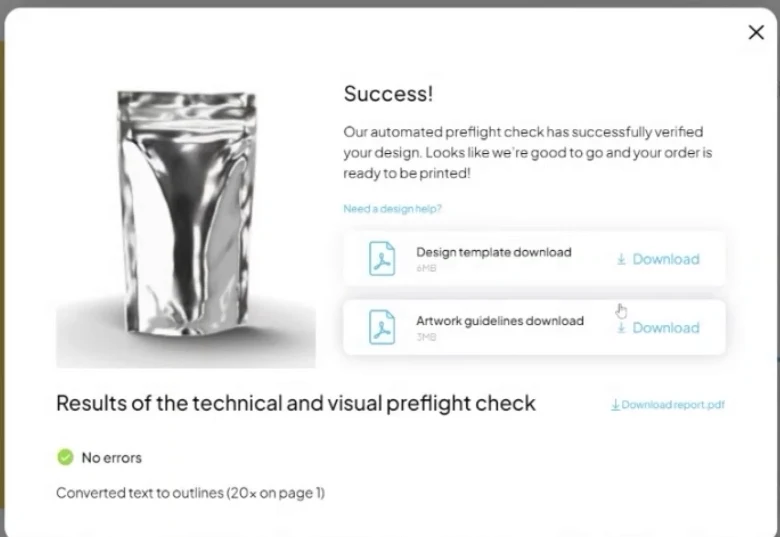
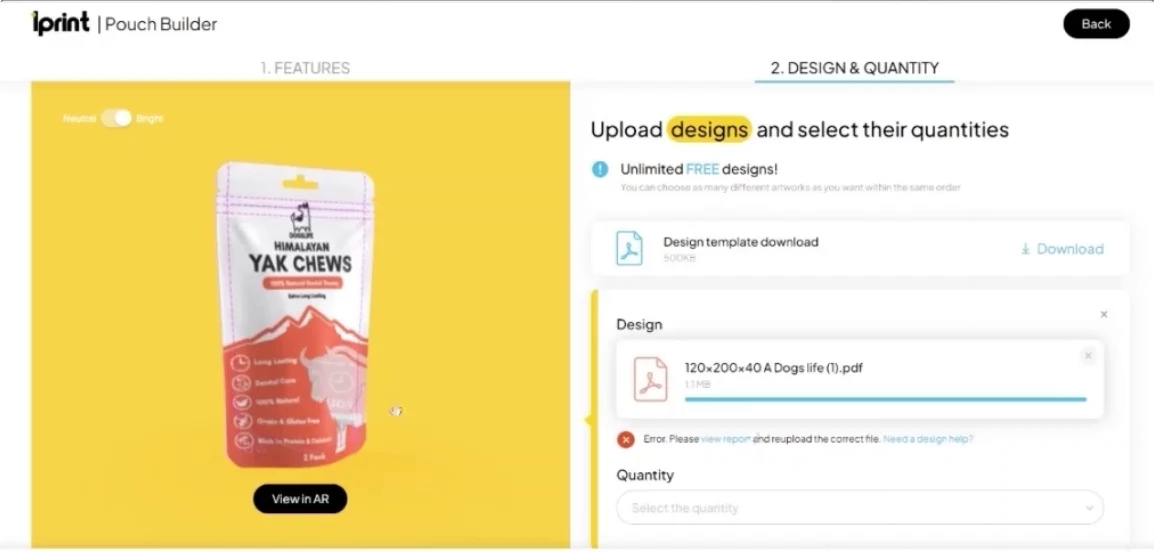
The uploaded PDF is checked automatically, by Enfocus in Lprint's case, and the customer sees the result on the spot: a pass with a report, or the error and what to fix. What reaches prepress has already passed.
Any artwork
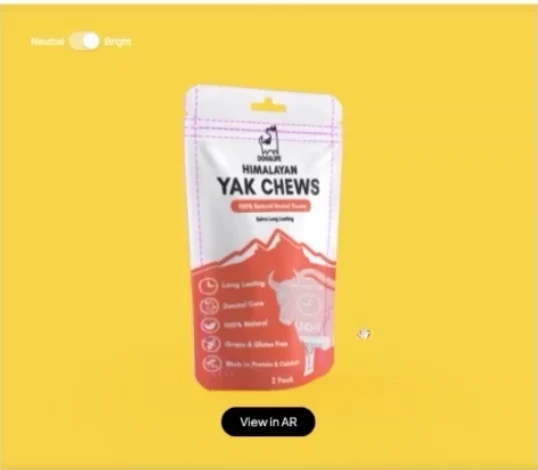
shown on the product in 3D, front and back
Checked
every file, before it becomes an order
One link
to save a draft, share it and reorder
What changes for you
From a proof by email to a product the customer signs off on screen.
The product is built, then the artwork lands on it.
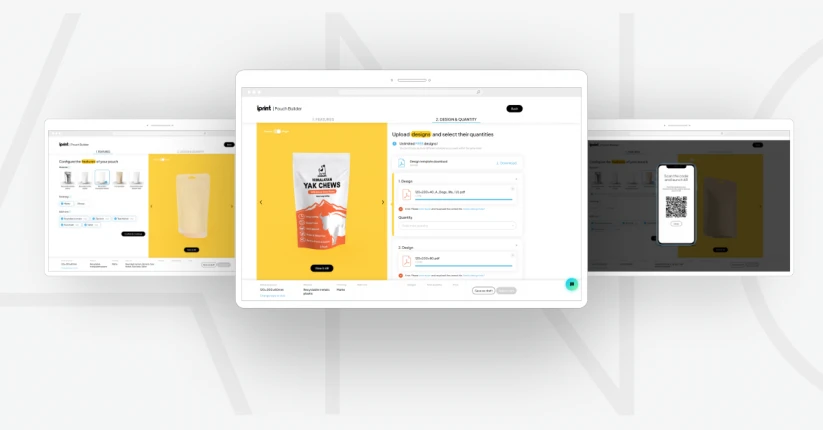
Size, material, finish and add-ons on a 3D model of the real item, then the customer's PDF applied to it: glossy where it is glossy, transparent where it is transparent. The customer is looking at their own product with their own design on it.
The file is checked before anyone at the shop sees it.
A preflight runs on every upload. The customer gets the pass or the error at once and uploads again; prepress receives files that have already been through the check. The proof round shrinks to the cases that need a person.
Into the cart, from the shop the customer is already in.
The configurator lives inside the store, on WooCommerce, Shopify, PrestaShop or your own platform, reads the prices from it and hands back the configured order with the artwork attached. A draft can be saved under a link and picked up later, or by the colleague who has to approve it.
configurator.lprint.com
Nobody orders ten thousand bags of a design they have only seen flat on their own screen.
Show it on the bag, in their hand, and the order is easier to place than to question.
How it fits your business
One configurator, four kinds of print.
Packaging
Pouches, boxes, wraps and labels: the artwork on the die-line, on the 3D item, in the material it will be printed on.
Apparel
T-shirts, hoodies and caps with the print placed on the garment, in the size and position the customer chooses.
Promotional items
Mugs, bags and small goods, one artwork across a set, previewed on each before the order is placed.
Home decor
Posters, cushions and wall art: the customer's photo or design on the piece at true proportions.
Valid files only
Bleed, resolution, fonts, colour space: the preflight rules you print by, applied to every upload before it becomes an order.
Into your systems
Configured orders leave as structured data plus the checked file, for the shop, the MIS or the press queue, with nothing retyped.
Proven · case-backed
Lprint
Custom printed pouches · Kaunas
Challenge
Every order is a different artwork on a different bag. Selling that by email meant a quote, a proof, a corrected file and a second proof before anything could print.
Solution / Result
A two-step Pouch Builder in the WooCommerce store: material, finish and add-ons on a 3D model, then artwork and quantity.
The uploaded PDF is applied to the 3D pouch and preflighted by Enfocus, with the report back to the customer before the order exists.
Web AR of the finished pouch, a draft that can be saved and shared by link, and the configured order straight into the cart.
We already have a web-to-print shop. What does this add?
The two things a picker cannot do: show the customer's artwork on the finished product in 3D, and check the file before the order exists. The shop stays; the configurator sits inside it.
How does the file check work?
Every upload runs through a preflight, Enfocus in the Lprint build, against the rules you print by. The customer sees a pass with a report, or the error and what to fix, and uploads again. Prepress gets files that have already passed.
Can it handle our order volumes?
It is built for them. Configuration, preview and preflight happen in the customer's browser, so the work per order on your side falls with every file that passes first time.
Does it integrate with our e-commerce platform?
Yes. WooCommerce for Lprint; Shopify, PrestaShop, Magento and custom stores elsewhere. Prices come from the shop, and the configured order with its checked file goes back into the cart.
What products can be configured?
Anything with a printable surface we can model: packaging first, then apparel, promotional items and decor. If it has a die-line or a print area, it can be shown with the artwork on it.
Do customers need an app for the AR view?
No. The configured item opens in augmented reality from the phone's browser, and a desktop shows a QR code that hands it to the phone.
Sell print the customer has already seen on the product
Send us one product family and the file spec you print from. You get a configurator that shows the customer's artwork on it, checks the file and hands the order to your shop.
1Mvariants from one source
Same dayprice changes live in the shop
No-codeconfigurators the client runs
Thank you
Your message is on its way. We will reply by email.