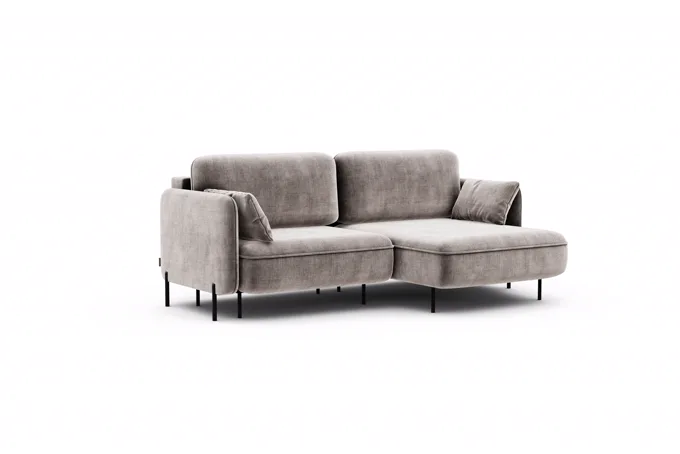
Product dimensions are the most basic number a furniture brand owns, and in most catalogs they live in four places at once: a CAD file, a spec sheet, the storefront, and one person’s memory. That is why sizes show up on a handful of hero products and nowhere else.
Every brand we talk to already has the numbers. Almost none of them can put the right number on the right variant at the moment a buyer is deciding. This page explains why that gap opens, and what it takes to close it across a whole catalog instead of a top ten.
Where the numbers actually live
Four homes, all of them real, none of them designed to feed a product page.
| Where the number lives | What it is good for | Why it does not reach the buyer |
|---|---|---|
| The CAD file | Production truth, to the millimetre. | Nobody outside engineering opens it, and it changes without telling the storefront. |
| The spec sheet | Sales and dealers. | A document, not data. Written once, then aged. |
| The storefront spec tab | The one the buyer can actually see. | Typed in by hand, product by product, usually for the base size only. |
| The product manager’s head | The fastest answer in the building. | It does not scale past the people who can walk to that desk. |
None of these is wrong on its own. The problem is that there are four of them and no rule about which one wins. Ask three people in the same company for the width of one bed in one size and you can get three answers, with the oldest of them printed in the catalog.
That is the honest starting state. It looks like an easy fix from the outside, which is exactly why it stays broken.
Why “just add dimensions” never scaled past a few hero products
Adding a dimension drawing to one product is an afternoon. Someone opens the render, traces the width, depth and height, places the arrows, exports, names the file, uploads it.
Now count the catalog. An upholstered bed range multiplies fabric by size by headboard height. A mid-sized bed brand does not have 80 products, it has a matrix that runs into the millions of distinct looks. Every option that changes the footprint changes the numbers on the drawing.
So the work gets done for the ten products that carry the campaign, and the rest of the catalog either shows a size drawn for the base model or shows nothing. Both teach a buyer that the number on the screen might not be the number for the variant they picked.
There is a second failure underneath the first. A hand-drawn dimension image is a picture of a number. It has no idea when the number changed. Six months after a production tweak, the drawing is still confidently wrong, and no process exists to catch it, because the process was one person and an afternoon.
Dimensions as catalog data, so the shot draws itself
The fix is a change of where the number lives, not a bigger drawing effort.
One home wins. The measurement sits in the catalog, on the variant record, synced from your ERP or PIM. Content Hub is the spine that holds it, alongside the fabric, the size and the price for that same variant.
The dimension layer is generated, not drawn. It is produced during rendering, in the same pass that produces the fabric and the headboard height. Variant Visuals renders the arrows and the figures as a layer over the variant image.
Every variant gets its own numbers. Each shot reads the record for that exact combination, so the 90, the 140 and the 180 each carry their own width, computed rather than copied.
Coverage is checked before a single render runs. The matrix of fabric by size by option is expanded first, so “every variant” is a verified claim instead of a hope.
Changing a number is one edit. Update the measurement in the catalog and the affected shots re-render. The stale ones drop off. There is no file to re-trace and no drawing to hunt down.
The practical effect: the number on the image and the number in your ERP cannot drift apart, because they are the same number rendered twice.
This is built and running. A bed brand we work with sells upholstered beds with live, catalog-accurate dimensions on every bed and every size, generated from catalog data rather than drawn by hand.
The cost you can actually see
Everybody asks whether dimension drawings reduce returns.
We do not publish a return-rate figure for this, because we have not measured one we would stand behind. Treat any vendor who hands you a clean percentage with suspicion, and ask them for the method behind it.
The cost we can see sits earlier than the return. A buyer who cannot answer “will it fit” usually does not order the wrong size. They stop. They open a second tab to go measure the alcove, and most of them do not come back. Nothing in your analytics labels that moment, which is why it survives budget review year after year while returns get a project.
If you buy traffic to those product pages, you pay for the hesitation twice: once to bring the visitor in, and again when the page cannot answer the one question standing between them and the basket.
A generated dimension layer removes that pause across the whole catalog, down to the exact variant in front of the buyer.
What changes when the configurator draws them live
Configurable products change size while the buyer is building them. A static image cannot follow that.
The Modular Configurator draws width, depth and height live in the 3D scene, out of the box. Add a module and the lines redraw. The figures come from the same catalog records that feed the prerendered shots, so the configurator and the product page agree by construction.
The saved configuration carries those measurements into the order record. The spec that reaches your CRM, CPQ or production floor is the spec the buyer read on screen.
What you need to start
Less than most people expect. The pipeline reads:
- Per-variant width, depth and height, plus any measurement that changes with an option: mattress height, headboard height, clearance under the frame.
- Which options change the footprint. Fabric usually does not. Size and headboard height do.
- Units and a rounding rule, decided once so every surface states it the same way.
- Where the numbers live today, so we can sync from that system instead of retyping the catalog.
If the measurements exist anywhere structured, that is enough to begin. Most of the work is the decision nobody has made yet: which of the four homes becomes the one that wins.
Related: Content Hub, the catalog spine. Variant Visuals, the render layer. Beds, the industry where size is half the decision.
FAQ
Why don’t furniture stores show product dimensions on every product?
Because the numbers are scattered across CAD files, spec sheets, the storefront and people’s memory, and adding a drawing is manual work per variant. Brands do it for a few hero products and stop. It is a data problem wearing the costume of a design task.
How do I add dimensions to every product variant?
Store the measurement on the variant record in your catalog, then generate the dimension layer during rendering instead of drawing it. Every variant reads its own numbers, so the whole matrix gets covered in one pass rather than one image at a time.
Where do product dimensions come from?
Production truth starts in CAD or the technical spec. For a storefront, the number needs one canonical home the whole catalog reads from, synced from your ERP or PIM. That home is what makes the number reusable across the product page, the configurator, the spec sheet and print.
How do I show bed dimensions online?
Put width, depth and height on the image of the exact variant, including headboard height where it changes the footprint. Buyers decide on the image, not in a spec tab three clicks away. For configurable beds, draw the measurements live in the configurator so they follow the build.
Do dimension drawings reduce returns?
We have no measured return-rate figure to give you, and we would rather say so. The effect we can point to is earlier in the funnel: the buyer who cannot confirm the size stops before ordering at all. That hesitation is invisible in return statistics.
Will the images go stale when our sizes change?
No, if the number is catalog data. Change it once and the affected shots re-render. A hand-drawn dimension image does go stale, and nothing tells you when.