
Yes, and there are two ways
A product configurator runs on a WordPress store. The question is which kind.
The first kind is a WooCommerce plugin. It adds option fields to the product page and builds the price from them. It works while the options are a short list, nothing has to be drawn, and no option depends on another.
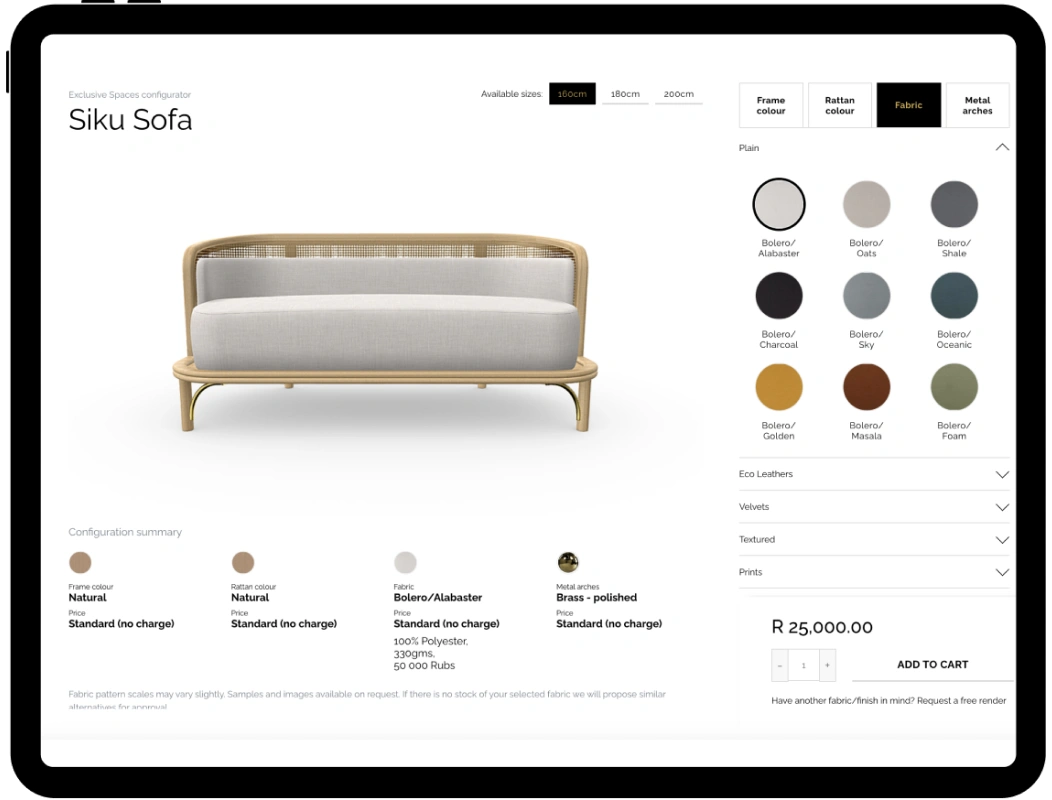
The second kind is a configurator that runs on the product page but lives outside WooCommerce. The buyer builds the product in it, sees it change as they choose, and when they are done the configurator hands one finished product, with its price and specification, to the WooCommerce cart. This is what you need once fabrics, sizes and rules enter.
Both are real. Most furniture brands start with the first and move to the second when the catalogue grows.
What WooCommerce does well, and where it stops
WooCommerce is good at the transaction: the cart, the checkout, payment, shipping, the order record. Leave all of that to it.
It is built for simple variants. A variable product carries its variations as a list, and WooCommerce’s own documentation sets the point where that list stops being comfortable: with 30 or fewer variations the option dropdowns load dynamically, above 30 they turn static, and the admin loads variations 50 at a time (WooCommerce, variation dropdown limits). There is no hard cap, but a sofa in 40 fabrics, 6 sizes and 3 leg finishes is 720 variations, and a store that tries to hold them as WooCommerce variations gets slow to edit and slow to load. Shopify has the same problem in a different shape; we wrote about its variant wall here.
Three things WooCommerce does not do at all:
- Show the product. A variation can carry one image. It cannot draw the sofa in the fabric the buyer just picked.
- Enforce rules. “This fabric is not available on the corner module” is a rule. WooCommerce variations are a list, and a list cannot say no.
- Price a combination. Variation prices are fixed per row. A price that depends on width times fabric grade times an extra has to be calculated somewhere else.
What the configurator adds
The configurator is where those three live. It draws the product as the buyer chooses, it allows only combinations you can make, and it prices the result as it goes.
The drawing matters more than it looks. In Baymard Institute’s testing of furniture and home decor stores, 79% of participants interacted with the main product image or its thumbnails as their first action on a product page, against 46% on general e-commerce sites (Baymard, furniture and home decor UX). Furniture buyers look before they read. A configurator that shows the chosen fabric on the chosen model is answering the first thing they do.
The live price matters for a different reason. Baymard’s cart-abandonment research puts extra costs that appear late as the top reason shoppers give for abandoning a purchase, at 40% (Baymard, cart abandonment). A configurator whose price updates with every choice has no late surprise to spring.
How the two hand the order to each other
The handoff is one line item. The buyer finishes in the configurator, presses add to cart, and WooCommerce receives a product with the price and the full specification attached: model, size, fabric, every option. Checkout and payment happen in WooCommerce as normal. Your workshop reads the specification from the order.
A saved configuration is the other half. A good configurator writes the state into a link, so the buyer can send it to a partner, come back to it next week, or hand it to a salesperson in the showroom.
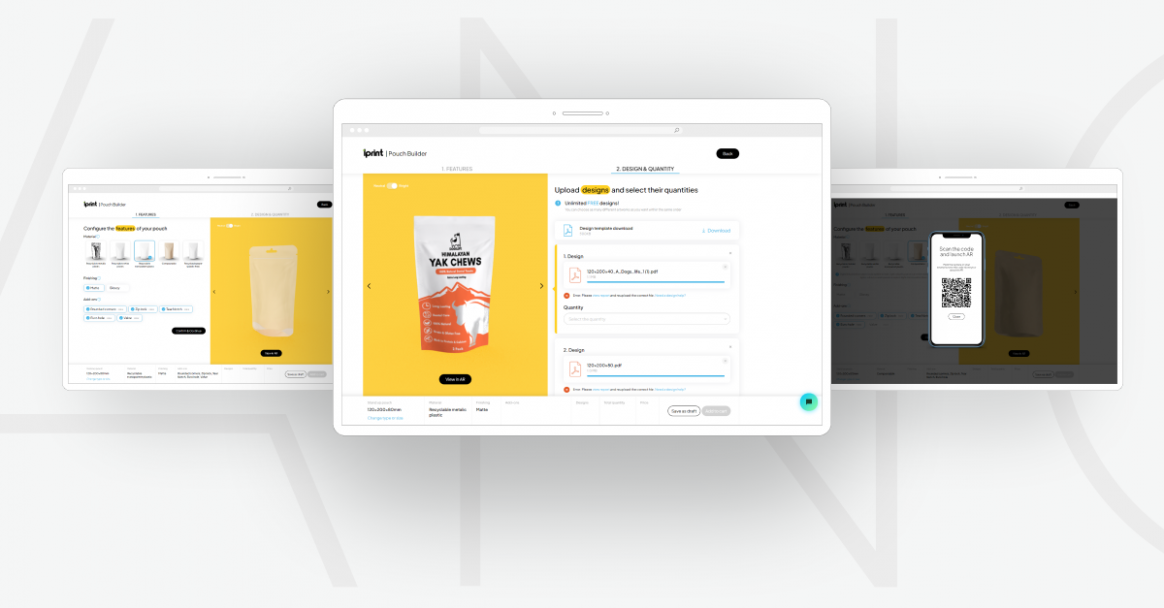
Lprint runs this on WooCommerce for custom packaging. The buyer picks the bag size in the store, then the configurator takes over: material and finish with a live 3D view, then their own artwork uploaded and checked automatically, then quantity. The finished pouch goes to the WooCommerce cart or is saved as a draft link. The configurator is live if you want to see the handoff working.
What to have ready
- 3D models of the products, or the drawings and photographs to make them from. This is the largest piece of work and the one that pays back everywhere else: the same models give you the variant images and the close-ups. What happens if you do not have models.
- The option list, exactly as production knows it: every fabric, size and extra, and which combinations are allowed.
- The price rules, written down. Base price, per-option changes, anything that depends on size.
- Access to the store: a WooCommerce admin account and, if the theme is custom, the developer who built it.
The Costs category puts numbers on the models and the renders.
Four questions before you choose
- How many combinations do you sell? Under about 30 per product, and none of them drawn, a plugin can do it. Above that, the configurator.
- Does the buyer need to see the result? For a fabric, a finish or a size, yes.
- Do options depend on each other? If any choice rules another out, you need rules, and a plugin has none.
- Who owns the embed? A configurator on your site is a long-term contract: the address it loads from, the way it talks to the cart, the versions. Ask the vendor how they update it without breaking your product pages.